
Modicon MM-PMA1-30S PanelMate Plus Operator Interface, Industrial HMI Panel Inquiry Product
Product Details
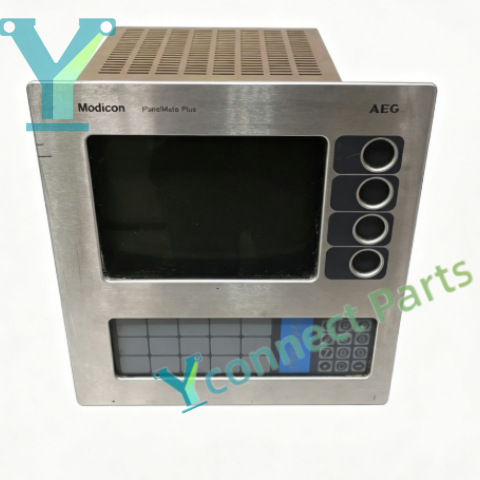
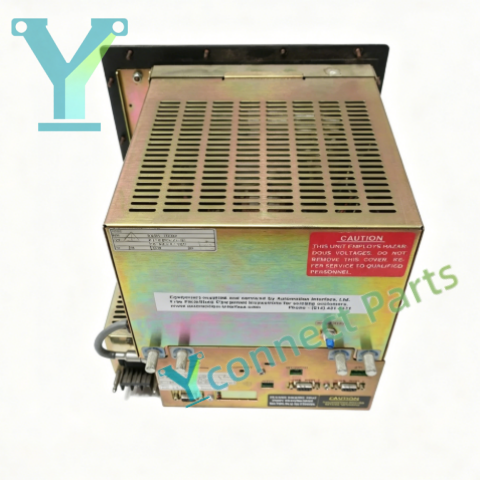
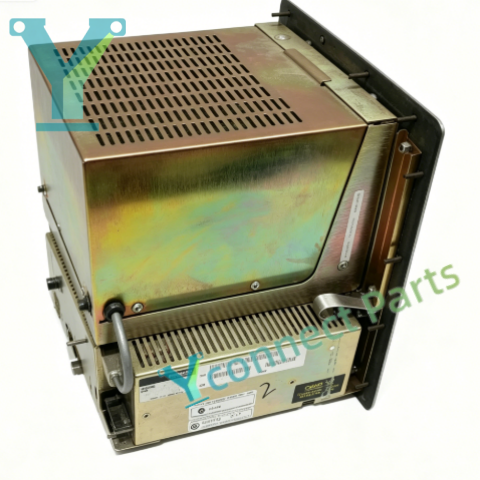
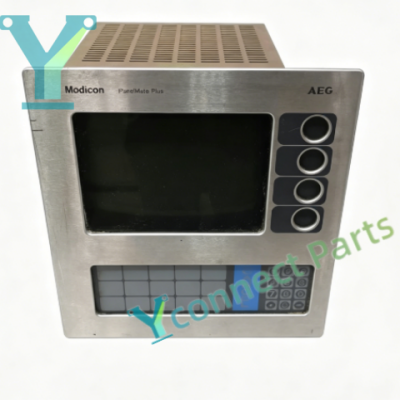
Modicon MM-PMA1-30S is a legacy panelmate plus hmi panel and reliable operator interface terminal within the Modicon PanelMate Plus family, alternate part number 92-00807-02. This legacy modicon display panel is designed for cabinet cutout installation, serving as the on-site human-machine interface for Modicon 984 PLC systems. It communicates via Modbus serial protocol to retrieve real-time process data, equipment running status, alarm messages and setpoint values. Operators can send manual start-stop commands, adjust control setpoints and acknowledge active alarms directly through the integrated keypad and display. Built for continuous operation in factory environments, it supports custom screen configuration, trend viewing, alarm queue management and simple recipe storage for batch production. The heavy-duty metal housing provides resistance against vibration and dust, and the built-in power supply accepts wide-range AC mains input. As a discontinued legacy spare, this panelmate plus hmi panel acts as a drop-in replacement to restore local operator monitoring and control for ageing Modicon automation installations.
Basic Parameters
Brand: Modicon (Schneider legacy)
Model: MM-PMA1-30S, alternate PN: 92-00807-02
Product Type: PanelMate Plus Operator Interface HMI Terminal
Mounting: Panel cutout mounting
Power: 110 / 230 VAC, 50 / 60 Hz, 85 VA
Communication: Modbus serial interface for Modicon PLC
Operation: Integrated function keypad
Display: Monochrome industrial display
Status Indicator: LED for power, communication and fault
Product Status: Discontinued, end of original production
Net Weight: Approximately 5.2 kg
Supported Functions
This panelmate plus hmi panel fetches real-time register data from the connected Modicon PLC and visualizes process variables, equipment status and running trends on screen. The operator interface terminal allows operators to submit control commands, modify setpoints and confirm alarms back to the host controller. This legacy modicon display panel supports custom graphic pages, dynamic data refresh, alarm logging and recipe recall for repeated production batches. It runs built-in self-diagnostics to detect serial communication loss, internal memory fault and power abnormality, and outputs fault prompts to guide maintenance work. It can work together with Modicon 984 CPUs and distributed remote I/O racks to complete local monitoring and sequence control.
Core Functions
As a dedicated operator interface terminal, this panelmate plus hmi panel builds the interactive bridge between field operators and PLC control logic. It converts raw PLC register data into readable visual information and translates keypad operations into valid control instructions. This legacy modicon display panel works as a direct spare to rebuild stable local human-machine supervision for ageing Modicon automation racks.
Hardware Specifications & Environmental Features
Operating Temperature: 0°C ~ +45°C
Storage Temperature: -20°C ~ +70°C
Relative Humidity: 5%–90%, non-condensing
Housing: Heavy-duty metal panel enclosure
Protection: Internal fuse for overcurrent protection
Anti-interference: Shielded serial connector to reduce conducted EMI
Compatibility: Modicon 984 series PLC, Modbus compatible control modules
Industry Applications: Applied in legacy petrochemical distributed control, old paper making production automation, material handling conveyor lines, packaging and textile machinery, water treatment remote signal collection and large conveyor remote I/O control racks.
Note: Confirm Modbus communication parameters, screen program backup, panel cutout dimension and AC supply voltage before ordering.
This is from our current stock.

Product recommendation
-
Modicon ALU151-1 A250 Base PLC CPU Proce
-
Modicon AS-C921-101 C921 Communication P
-
Modicon PC-E984-381 984 Series Local I/O
-
Modicon 170BDM34600 Momentum Mixed Discr
-
Modicon 416NHM21200 Modbus Plus Communic
-
Modicon A120 TSX Compact Modular PLC Sys
-
Modicon ALU154-1 A250 Series PLC CPU Con
-
Modicon MM-PMA1-30S PanelMate Plus Opera
-
Modicon PC-M984-230 Compact 984 PLC CPU
-
Modicon AS-B352-001 8 Channel 24VDC True